
K-Defense Catch
Catch the jet, the tank, the ship — the instant they cross your sights.
What happens in the room.
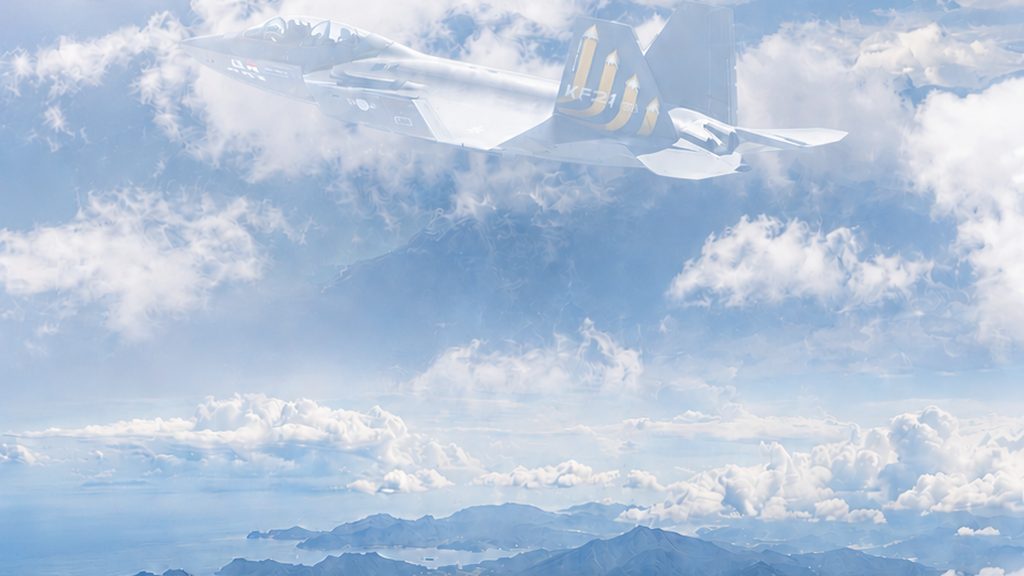
A portrait-kiosk reflex game: Korea's flagship defense hardware — the KF-21 fighter, the K2 tank, and the Jangyoungsil destroyer — races across the screen, and players fire the instant it crosses the aiming frame. Pick a machine, count down, and track it as it darts, slows, and feints off-screen. One press — mouse, spacebar, or a real arcade button — decides a five-grade verdict, and only a dead-center catch counts.
Three tries per player keeps lines short and rematches constant. Ships as a one-click kiosk launcher for Windows: double-click and it opens full screen, offline, no install. On-screen calibration and remappable arcade buttons make it easy to fit any portrait kiosk on site. Korean UI in this edition.
Compatibility
IF Series
IF-C (native)
Interaction
Touch · LiDAR
Surface
Screen / display
OS
Windows
How others use this.
- Use it where your audience already moves — entryways, lobbies, queue lines, activation corners.
Specifications
| Resolution | 1080x1920 (portrait) |
|---|---|
| Aspect ratio | 9:16 |
| Loop length | Continuous (no fixed loop) |
| Min CPU | Intel i5 |
| Min GPU | Integrated |
| Min RAM | 4 GB |
| Hardware required | Portrait kiosk or signage screen; mouse, keyboard, or arcade button |
| Package size | ~17 MB (zip) |
Getting started
From the order email to the room glowing — about 3 minutes.
- Open the email with your download link and unzip the folder.
- Double-click
index.html. It opens in your default browser. - Press F11 (Windows) or Ctrl+Cmd+F (macOS) for fullscreen.
- Use Chrome or Edge for the best results.
Make it yours
Open customize/config.js in any text editor. Change the values, save, refresh the browser. Full guide inside the zip (customize/README-customize.md).
- Text and visuals. Welcome message, colors, logo.
No coding required — it's a plain text file with comments next to every option. If something breaks, restore the backup notes at the bottom of the same file.
What you'll need
- Windows 10/11 or macOS 12+
- Latest Chrome or Edge browser
- Portrait kiosk or signage screen; mouse, keyboard, or arcade button
- ~17 MB free disk space
Delivery
Tell us a bit about your space and we'll send the build to your inbox within 24 hours. Windows and macOS files in one zip. Yours to keep, no expiry.